What is a browser fingerprint and how websites recognize you without cookies

NOID Editorial Team
Publisher
Date
04/16/2026
Date
04/16/2026
A browser fingerprint is a combination of ordinary browser and device signals that websites can use to recognize your browser.
You can delete cookies. You can clear history. You can change your visible IP with a VPN.
But when you visit a site, it still sees the browser that opens the page: language, timezone, screen size, how it handles graphics, available fonts, browser storage for that session, and the way it runs JavaScript. Any one of these details usually does not mean much. Together, they form a recognizable profile.
That is the core difference between cookies and fingerprinting. A cookie is something a site stores on your device. A fingerprint is built from the environment your browser presents during the visit.
What a browser fingerprint contains
The EFF explains browser fingerprinting as recognition through a combination of browser settings and signals. The combination is the key.
Millions of people use Chrome. Many have the same screen size. Many browse in the same language. But a specific Chrome version, plus a specific language, timezone, WebGL renderer, Canvas result, window size, Client Hints, and local storage behavior can become much rarer together.
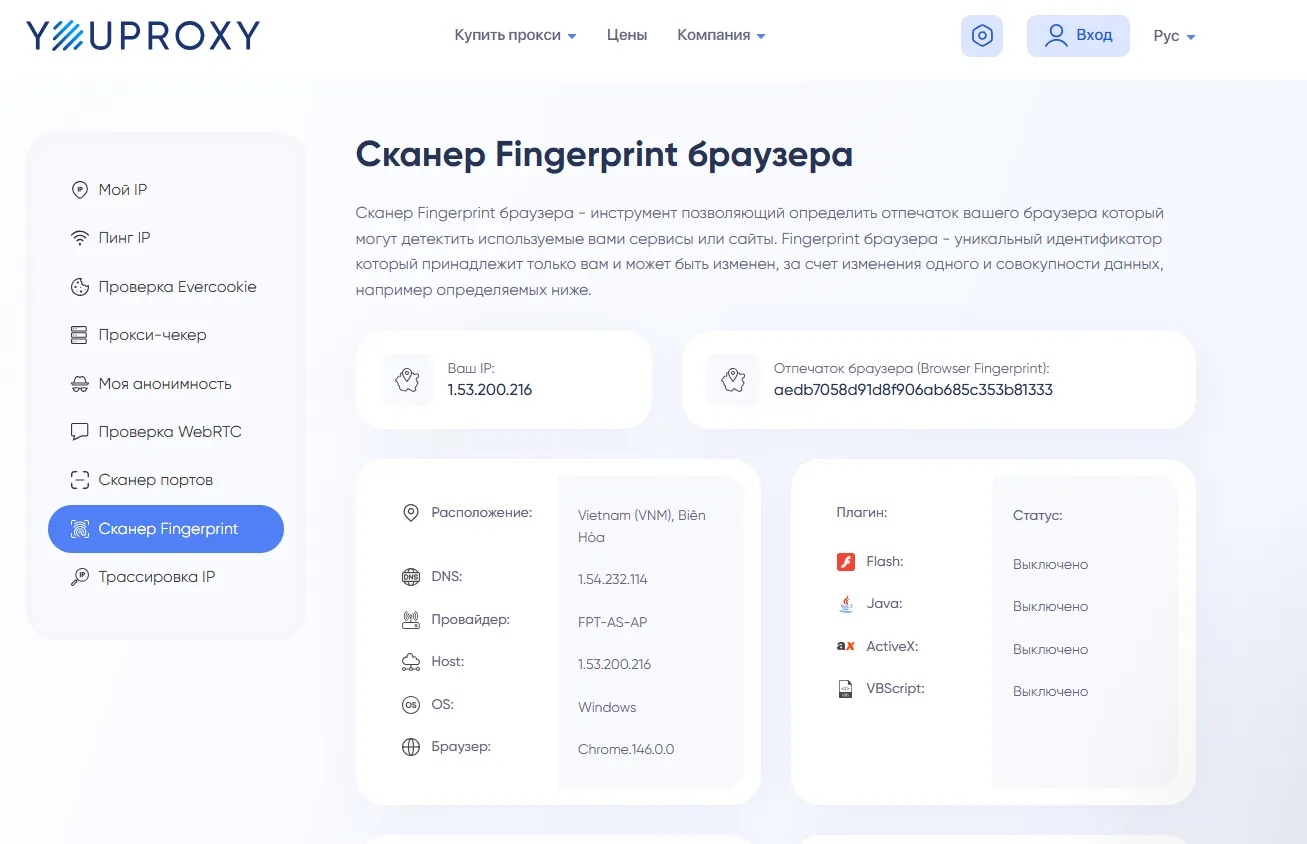
A browser fingerprint can include signals like:
User-Agent and Client Hints;
browser and system language;
timezone;
window size and screen parameters;
Canvas and WebGL behavior;
available fonts;
WebRTC local network exposure;
browser extensions and settings;
browser storage behavior, when relevant.
Behind the jargon, the idea is simple: a website does not see "you" as a person. It sees a set of browser signals attached to a request, a session, and sometimes an account.
How websites get these signals
When you open a page, your browser does more than download text and images. It runs JavaScript, draws the interface, loads media, uses graphics APIs, reads and writes browser storage, and sends information so the page works correctly.
That is why fingerprinting is not always about something exotic or hidden. Many signals come from normal web features.
Client Hints, for example, are browser hints that can tell a site about your browser, device, network, or preferences. Some hints are broad. Others are more precise.
Canvas is an API for drawing 2D graphics and text through JavaScript. WebGL is used for GPU-backed graphics, especially 3D and accelerated rendering. They are not the same thing, but both can become signals. Canvas output can vary because of text rendering, fonts, and browser rendering details. WebGL can expose differences in the graphics stack, including the GPU and drivers.
The same goes for other details: language, window size, installed fonts, WebRTC local exposure, and browser settings. These APIs also support real website features: interfaces, media, compatibility checks, analytics, abuse prevention, and personalization.
One signal rarely proves much. A stronger signal appears when many ordinary details line up into the same pattern.
Browser fingerprinting vs cookies
Cookies are stored markers. A website saves data in your browser and reads it again later. Local storage works differently under the hood, but from a user's point of view it can serve a similar purpose: the site keeps data in the browser and returns to it on the next visit.
A browser fingerprint does not require the site to store a marker on your device. Instead, the site looks at the current browser environment and compares it with environments it has seen before.
So saying "I deleted cookies" only answers part of the question. You removed a stored marker. You did not change the browser environment itself: language, timezone, graphics behavior, fonts, screen, Web APIs, extensions, and browser settings.
A fingerprint is not a permanent ID. It can change after a browser update, a driver update, a new extension, a system setting change, or a different device. Websites work with probability: how close is this combination to a known one? The more stable details match, the stronger the signal.
Why incognito and VPN do not solve this
Incognito mode, or private browsing, is useful when you do not want your normal browser profile to keep new history and cookies after you close the private windows. But while the private window is open, the website still sees the current browser and session parameters. We cover this boundary separately in what incognito mode actually hides.
A VPN changes your connection and visible IP. It can also protect traffic on an untrusted network. But it does not change Canvas, WebGL, language, timezone, browser storage, fonts, extensions, or browser settings. The limits of VPN protection are covered in is using a VPN safe.
The W3C Fingerprinting Guidance describes the problem directly: clearing cookies or using a VPN does not prevent correlation through fingerprinting. Incognito keeps some local traces out of your normal profile. A VPN changes the network layer. Neither one rebuilds the browser environment.
Mozilla also treats fingerprinting as a real browser issue. Its documentation on fingerprinting protection says that combined details about the browser, device, graphics, and fonts can act as a fingerprint.
Why random parameter changes can backfire
Weak fingerprint protection often looks like this: one extension changes the User-Agent, another adds noise to Canvas, a third blocks WebRTC, while the rest of the browser stays unchanged.
The result can be an inconsistent setup. The connection looks German, the timezone is Kyiv, the language is Russian, the User-Agent says macOS, and WebGL looks like a Windows driver.
That does not necessarily make your browser harder to recognize. Sometimes it makes the profile more noticeable, because normal devices usually do not look like that.
Brave's explanation of fingerprint randomization is useful here because it separates coherent strategy from shallow one-off changes. Not every change is bad. The risk starts when one or two parameters change without the rest of the environment matching.
For a non-technical user, the rule is simple: browser parameters should make sense together. They should not look like a random pile of switches.
What profile separation changes
If your personal email, work dashboard, client project, and test account all live in one browser profile, they share a lot of context. They use the same browser environment, many of the same extensions, the same local data area, the same browsing history, and often the same connection.
Closing tabs does not fully separate those contexts.
Profile separation solves a different problem. It does not erase every signal. It keeps unrelated roles from sharing the same browser data and settings.
One profile can have its own cookies, local storage, history, settings, and fingerprint parameters. Another profile can have its own set. That matters when personal browsing, client projects, testing, and routine work should not all live inside one browser context.
For example, personal email should not share browser storage with a client dashboard. A test account should not live in the same profile as your main work service. A client project should not inherit extensions, cookies, and settings from your personal browser.
What NOID does
In this context, NOID is useful for a practical reason: it separates browser identities. In NOID, an identity is a separate browser profile with its own data and settings.
Each identity can have its own cookies, browser storage, history, fingerprint parameters, and connection settings. If a task needs a different country connection, that can be configured for the identity. But IP country is only one signal. Language, timezone, WebRTC exposure, DNS consistency for the chosen connection, Canvas, WebGL, and site data still need to make sense together.
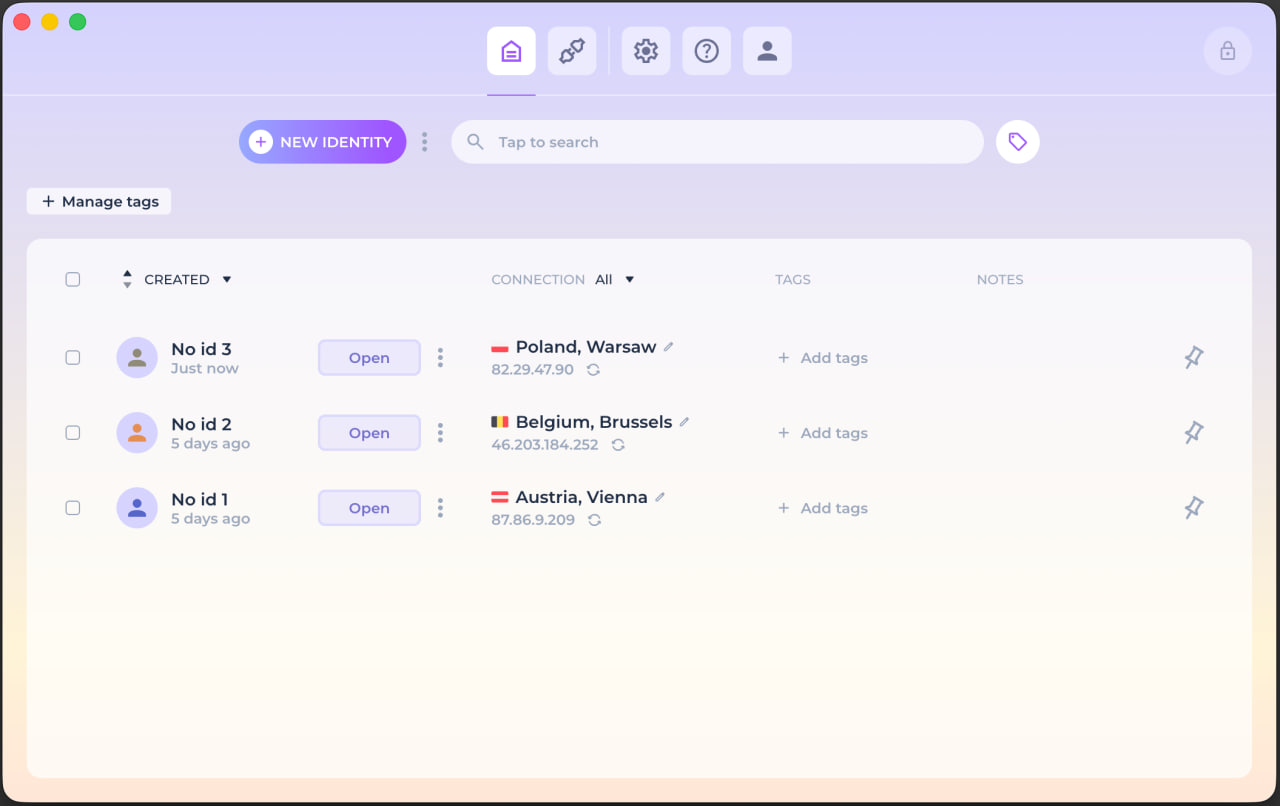
A website still sees the current profile's parameters. That is normal. Any website can see requests, page actions, and the account you log into. The value of NOID is that personal, work, and client profiles do not collapse into one mixed browser context.
You can test this without theory. Open Check ID in a regular browser, then in a separate NOID identity. Start with IP, but also compare language, timezone, Canvas/WebGL, cookies, local storage, and the current session. For the connection layer, check whether WebRTC exposes local network details and whether DNS matches the chosen connection country.
What to do in practice
For ordinary browsing, a privacy-focused browser, a good ad blocker, careful settings, and not logging into unnecessary accounts may be enough.
On unfamiliar Wi-Fi, a VPN adds protection at the network layer and changes your visible IP.
When you need to separate personal, work, client, and test contexts, the question is no longer just about IP or ads. You need browser discipline: separate profiles, separate site data, coherent fingerprint parameters, and clear rules about where you log in.
A browser fingerprint is not one switch. It is a set of signals a website can see during a visit. The better you separate profiles, the fewer accidental links you leave between unrelated tasks.
Try NOID free
If this sounds like your situation, try NOID free for 7 days. No credit card is required.
Create one identity for personal browsing and one for work, then open Check ID in both and compare what sites see.
Popular Questions
- 01No. Cookies are data a website stores in your browser and reads later. A browser fingerprint is a combination of browser and device parameters a website can see during your visit.
- 02No. Incognito mode, or private browsing, mainly limits local history and some data after you close the private windows. During the session, the website can still see your browser and device parameters.
- 03No. A VPN changes your connection and visible IP. The fingerprint stays at the browser level: screen, graphics, language, timezone, browser storage, extensions, and other signals.
- 04You cannot fully hide a browser fingerprint in ordinary web use without breaking many websites. You can reduce unnecessary signals and block trackers. Separate profiles solve a different problem: they do not erase the fingerprint, but they keep different tasks from mixing in one browser context.
- 05Open Check ID or EFF Cover Your Tracks. Compare browser signals such as language, timezone, Canvas/WebGL, cookies, local storage, and whether the parameters make sense together. Then check the connection layer separately: IP, WebRTC local exposure, and DNS consistency.