Brave alternative: when you need a browser with separate identities

NOID Editorial Team
Publisher
Date
04/16/2026
Date
04/16/2026
Brave is a straightforward answer to tracking: install it, and most ads and trackers get blocked without extra extensions.
If you only want another free private browser for everyday use, Brave is not your only option. Firefox, Mullvad Browser, LibreWolf, and Safari with stricter privacy settings all belong in that conversation. This article is about a different case: what to use when the problem is not picking one more browser, but keeping personal, work, client, and test tasks from bleeding into the same browser environment.
Brave cleans up normal browsing. It does not turn one laptop into several separate workspaces.
What Brave actually does well
Brave is built on Chromium and ships with Brave Shields enabled. Brave describes Shields as protection against ads, trackers, third-party cookies, and some browser fingerprinting techniques: Brave Shields.
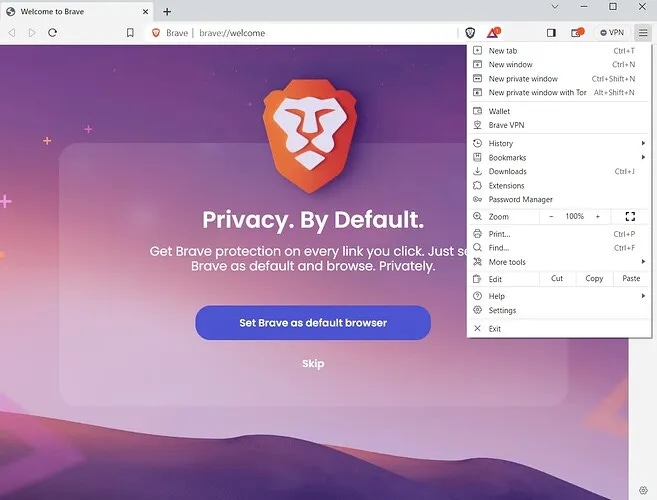
Most users notice the difference quickly. Pages look cleaner, fewer ad scripts load, and many third-party requests disappear. You do not have to build a privacy setup from extensions or decide which filter list to trust.
That is Brave's real strength. It cuts down tracking noise inside one familiar browser. Brave also says in its browser privacy policy that it does not collect or retain browsing history, although some features still need to process data such as IP address and have their own rules.
For everyday browsing, that is a strong deal. It is still not the same as keeping work identities separate.
Where an ordinary private browser stops helping
The problem starts when one browser has to carry several roles at once.
Personal email. A work dashboard. A client project. A test account. Analytics. Social accounts. Everything opens on the same device, with similar browser settings, the same extension set, shared login history, and often the same connection.
Even with Brave blocking many trackers, a site can still read a lot of context. Some of it is network context, such as IP address. Much of it is browser context: User-Agent, Client Hints, language, timezone, WebGL, Canvas, cookies, localStorage, login state, and behavior on the page. EFF's Cover Your Tracks shows how ordinary browser signals can combine into a recognizable fingerprint. For a deeper breakdown, see what browser fingerprints are.
Once you log in, the site knows that account. If different tasks live in one browser profile, they share site data and session history. When IP, language, timezone, WebRTC behavior, and browser settings all point to the same environment, the site gets one consistent picture.
This is not a Brave failure. It is a different job.
What the alternatives to Brave are
If you just want a different daily browser, start with Firefox, Mullvad Browser, or LibreWolf. If you need to separate roles on the same computer, the question changes. It is no longer only "which browser blocks more trackers." It becomes "which data gets mixed between my tasks?"
Where NOID fits
NOID handles the same ad and tracker blocking problem, but adds identity isolation. That makes it a Brave alternative for a specific reader: someone who needs the browser environment, local data, sessions, and connection context separated by task. We cover the difference from classic antidetect tools in NOID vs classic antidetect browsers.
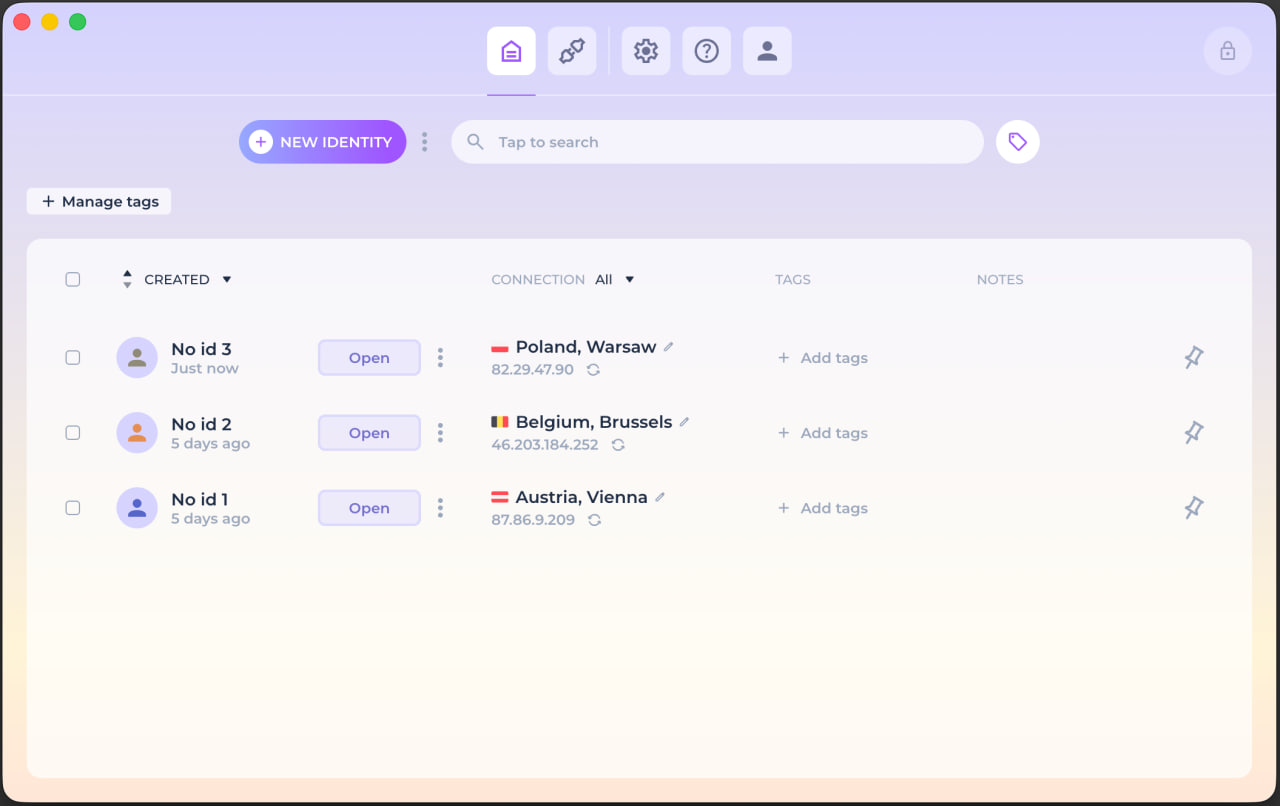
One identity can be for personal email. Another can be for a work dashboard. A third can be for a client project or a test account. Each identity can have its own cookies, storage, history, notes, environment settings, session state, and connection.
This does not erase what websites can see. A site still sees the request, your actions on the page, and the account if you sign in. Platforms still apply their own rules. The goal is narrower and more practical: different work contexts do not have to collapse into one long browser trail.
In NOID, an identity can use its own connection, for example a built-in proxy with an IP in the country you choose. But IP country is only one signal. Language, timezone, WebRTC/DNS behavior, cookies, storage, and fingerprint parameters also need to make sense together. For the boundary between browser context and a VPN, read secure browser vs VPN.
Want to see the difference instead of reading another claim? Open Check ID in Brave, then open it again inside a separate NOID identity. Compare more than the IP: look at language, timezone, WebRTC/DNS behavior, stored site data, and fingerprint signals.
When it is better to stay on Brave
Stay with Brave if you need a free browser for everyday browsing, fewer ads, and less third-party tracking.
NOID is more than you need if you have one profile, one normal set of accounts, and no reason to separate roles. It starts making sense when you handle different contexts every day: personal services, client dashboards, work accounts, test accounts, analytics, and separate projects.
Brave reduces tracking inside a normal browser. NOID is for managing separate browser identities.
Try NOID free
If this sounds like your situation, try NOID free for 7 days. No credit card is required.
Create one identity for personal browsing and one for work, then open Check ID in both and compare what sites see.
Popular Questions
- 01For most users, yes. Brave blocks more ads, trackers, and third-party tracking by default than standard Chrome. It still does not separate work identities or hide every signal from websites.
- 02No. A VPN changes the visible IP and how traffic leaves your device. Brave reduces some browser-side tracking. Cookies, account state, localStorage, Canvas, WebGL, language, timezone, and many fingerprint signals remain browser-layer issues.
- 03For occasional use, separate Brave profiles may be enough. For regular work with personal, client, and project accounts, use a browser built around separate identities, where each task gets its own site data, session, and connection.
- 04Brave is a private browser for everyday internet use. NOID combines ad and tracking protection with separate identities: different environments, site data, sessions, and connections for different tasks.
- 05No. A VPN is useful when you need to protect device traffic on an untrusted network or change the IP websites see. NOID works at the browser-identity level. If you need both a separate browser context and a separate connection for that specific identity, configure both deliberately.