Internet privacy in 2026: what websites actually see

NOID Editorial Team
Publisher
Date
04/06/2026
Date
04/06/2026
You can close a private window, see a green VPN indicator, install an ad blocker, and still give a website enough context to connect that visit to the rest of your activity.
That doesn't mean those tools are useless. They work on different parts of the picture.
Private browsing is mostly about traces on your device. A VPN handles the connection. An ad blocker cuts some advertising and tracking scripts. A website sees a wider view: IP address, cookies, browser storage, account login, repeated actions, and whether those signals fit together.
Start from what you do not want to mix: personal sites, work services, client dashboards, test accounts, or activity on someone else's Wi-Fi.
What a website sees first
When you open a page, the website receives a network request. It includes your IP address, some browser headers, language, browser type, and connection context. After the page loads, JavaScript can see more: screen size, timezone, Canvas, WebGL, browser permissions, cookies, localStorage, IndexedDB, and network details like WebRTC behavior.
Cookies remain one of the main ways websites keep sessions, preferences, and identifiers. As MDN describes, cookies are a mechanism for session management, personalization, and tracking, and they now sit beside other browser storage like localStorage and IndexedDB: MDN: HTTP cookies.
It's easy to confuse two things: "it wasn't saved on my laptop" and "the website didn't record it." Closing a tab can clear local traces. It doesn't erase a sign-in event, payment, support request, analytics event, or server-side log.
On the device: what stays near you
Often the first privacy risk sits on the device in front of you.
Browser history, downloads, cache, saved passwords, old sessions, notifications, and autofill can be visible to the next person using the same laptop or phone. Private browsing helps here. Chrome says Incognito limits saving browsing history, cookies, and site data on the device after all private windows are closed, but downloads and bookmarks can remain; activity can still be visible to websites, an employer, a school, or an internet provider: Chrome Help: Incognito mode.
That makes private browsing useful for ordinary situations: searching for a gift on a shared laptop, opening a site without old cookies, or temporarily signing in outside your main profile. It doesn't change your IP address. It doesn't remove records on the website or separate work accounts from personal accounts at the browser-environment level.
More detail: what incognito really hides.
In the connection: IP, DNS, and network trust
The connection layer includes your public IP address, internet provider, Wi-Fi network, corporate network, VPN, proxy, and DNS.
A VPN changes the IP address websites see and encrypts traffic between your device and the VPN provider. That's useful in a hotel, airport, cafe, or someone else's office. EFF also points out the tradeoff: a VPN moves trust from the local network and internet provider to the VPN provider, and it doesn't solve other tracking paths like cookies, tracking pixels, browser fingerprinting, GPS data, or account data: EFF: Choosing the VPN That's Right for You.
DNS matters too. DNS requests show which domains your device is trying to reach, and a bad setup can leak those requests through the system resolver even when the rest of the traffic goes through a VPN.
Changing your IP doesn't remove cookies, account login, browser fingerprint, or advertising events. If you sign in to the same Gmail, client dashboard, or payment account, the site already has a strong identifier.
The limits of VPNs are covered in is using a VPN safe? and how a secure browser differs from a VPN.
Tor belongs to another part of the map. It's built for high-risk privacy and multi-hop routing, but on ordinary websites it can bring speed, compatibility, and public exit-IP trust problems. We cover that separately in alternatives to Tor Browser.
In the browser: cookies, fingerprints, and ad scripts
The browser is where personal and work traces often get mixed.
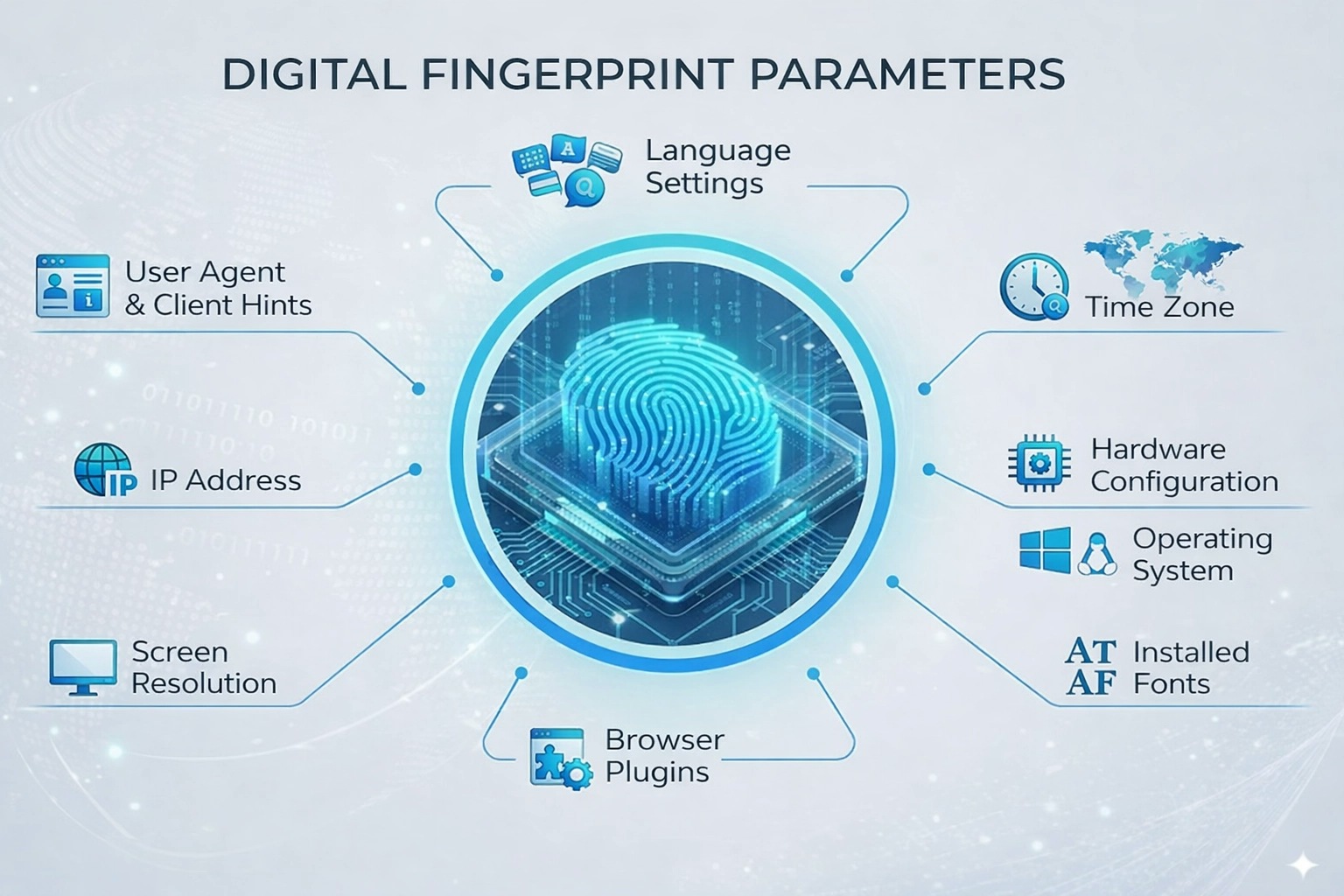
One profile can hold cookies, localStorage, IndexedDB, extensions, permissions, sessions, accounts, and browser fingerprint signals. A browser fingerprint isn't a secret serial number. It's a set of ordinary traits: language, timezone, screen size, Canvas, WebGL, fonts, WebRTC behavior, settings, and rendering differences.
EFF's Cover Your Tracks explains how advertising networks use cookies and browser fingerprinting. The W3C describes fingerprinting as a privacy risk because observed browser characteristics can correlate activity across sessions and websites without clear user control: W3C Fingerprinting Guidance.
Some signals arrive with the request itself. User-Agent Client Hints let sites ask for browser and environment information through headers, and combinations of those values can add to identifiability: Chrome Developers: User-Agent Client Hints.
In some browsers and connection setups, WebRTC can expose local network addresses or IP information outside the path you expected from a VPN. A 2025 measurement study on arXiv describes how WebRTC ICE behavior can reveal internal addresses or network metadata in modern browsers: WebRTC Metadata and IP Leakage in Modern Browsers. The practical point is narrow: don't stop privacy checks at IP. Look at DNS, WebRTC, language, timezone, cookies, browser storage, and the browser fingerprint.
Privacy-focused browsers like Brave can block some ads, third-party trackers, and fingerprinting scripts. If your problem isn't just less tracking, but separate work contexts, read how an alternative to Brave differs from a normal private browser.
If you want the mechanism in more depth, start with what browser fingerprints are. If you're dealing with ads rather than profile separation, see how to block ads online and what ad blockers don't hide.
In accounts: the strongest signal is often not technical
After you sign in, the website doesn't need to guess who you are from IP or Canvas. It has your email, phone number, payment method, order history, team workspace, OAuth login through Google or Apple, and actions inside the account.
A freelancer might keep personal email, client A's ad account, and client B's analytics in one browser profile. The website isn't reading your mind. Cookies, autofill, previous sign-ins, and repeated dashboard use gradually become one working trail.
A founder faces a similar problem: personal Gmail, Stripe, a cloud console, a domain registrar, and SaaS trials are open in one browser. After a week, it becomes harder to tell where the personal context ends, where the company context starts, and where a test account belongs.
A support operator may have two client dashboards in the same service. If both live in one profile, sessions, suggestions, and saved data start to interfere with work. One wrong autofill can put the wrong reply in the wrong context.
Behavior is visible as a sequence of actions: sign-in time, paths inside a dashboard, repeated pages, session length, and familiar workflows. These signals are weaker than account login, but they matter more when they line up with the same browser and account data.
Privacy map: what exactly are you trying to separate?
Read the table from the left: choose the context first, then choose the tool. If the problem crosses two contexts, one switch will not solve both.
What NOID does
NOID is useful when the job is to separate browser contexts, not just change IP or reduce ads.
Instead of keeping personal email, work services, client dashboards, and test accounts in one profile, you create separate environments. Each one can have its own cookies, browser storage, history, sessions, profile data, and a connection choice, such as a specific proxy for a specific profile, when you apply one. Standard browser profiles separate some local data, but they do not keep browser data, profile settings, and connection choice tied to one working context.
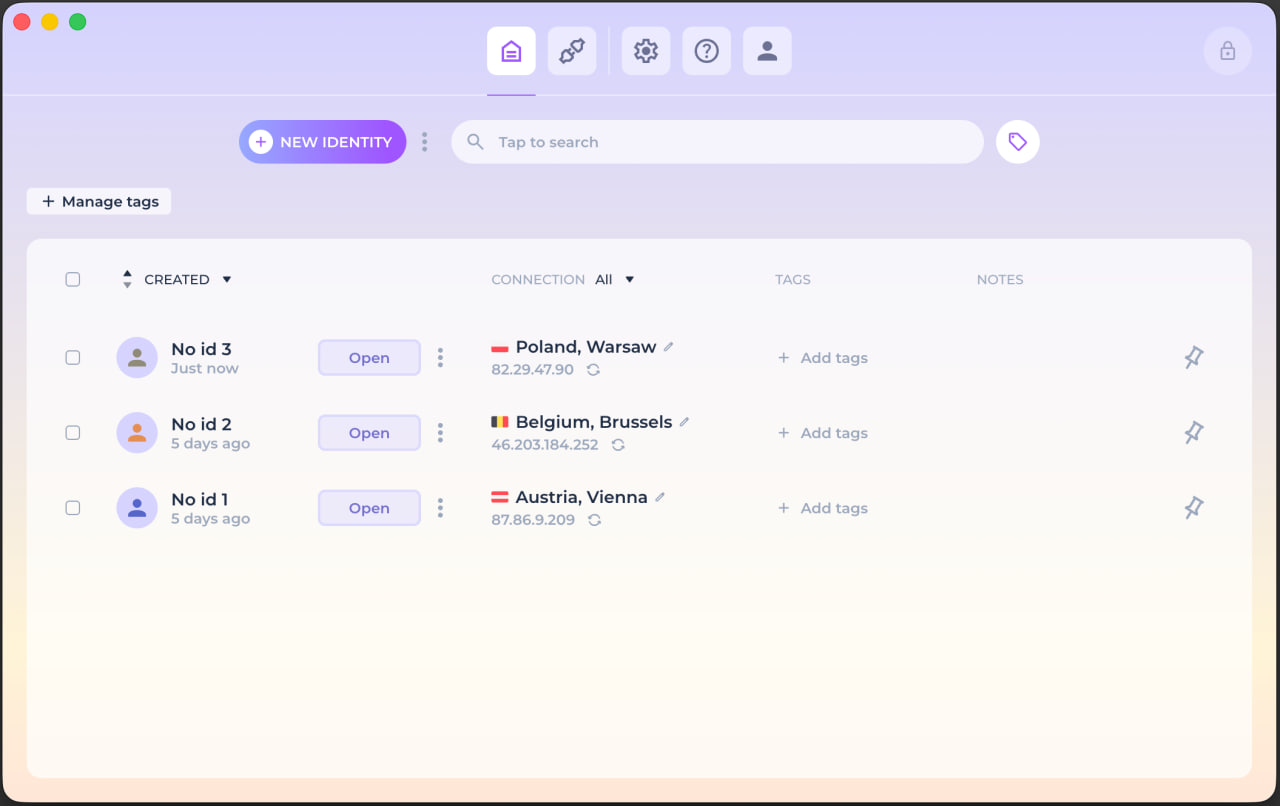
NOID doesn't hide the fact that you're signed into an account, and it doesn't erase what a website sees in the current request. It helps separate profiles and check the context you show. If you're comparing approaches to profile separation, read the NOID comparison with classic antidetect browsers. Before important work, open Check ID and compare the whole browser context with your normal browser instead of stopping at IP.
How to protect your privacy: a practical minimum
To protect your privacy online, separate the problem first: what should stay only on the device, what belongs to the connection, what lives inside the browser, and what is already tied to an account.
Use a password manager and two-factor authentication for important accounts. Use a VPN on networks you don't trust. Use a reputable ad blocker for ads and unnecessary trackers, but don't expect it to separate profiles. Personal, work, and client services shouldn't all live in the same browser profile.
You can start small: split personal and work browsing first, then create a separate environment for client dashboards.
Try NOID free
If this sounds like your situation, try NOID free for 7 days. No credit card is required.
Create one identity for personal browsing and one for work, then open Check ID in both and compare what sites see.
Popular Questions
- 01A website can see network data, some browser parameters, cookies, browser storage, page actions, and the account if you sign in. Many of those signals are ordinary on their own, but together they describe the context you bring to the site.
- 02No, if that means leaving no traces anywhere. The realistic goal is to reduce linkability between contexts that should not mix and understand what data you give to websites, networks, and accounts.
- 03A VPN helps with the connection layer: IP address, public Wi-Fi, and routing to the VPN provider. It doesn't control cookies, account login, browser fingerprinting, or behavior inside websites.
- 04Incognito reduces local traces on the device. Websites can still see technical signals, current private-session cookies, and the account if you sign in.
- 05Neither one alone. IP shows the connection, and the browser fingerprint shows the browser environment. Websites often look at a combination of signals, so one changed IP isn't enough if cookies, account login, and browser context stayed the same.
- 06Because personal, work, and client tasks shouldn't live in one environment. Separation reduces accidental mixing of cookies, sessions, settings, autofill, and visible browser signals.