How to Block Ads on the Internet?

Content
The modern internet is impossible to imagine without advertising. It follows us on news sites, in videos, mobile apps, and search results. The problem has long gone beyond simple visual irritation: aggressive ad formats slow down performance, waste traffic, and hidden trackers continuously collect personal data to create digital user profiles.
To regain comfort and privacy, people resort to various blocking methods: from installing simple extensions to complex configuration of home DNS servers.
In this article, we will examine in detail how modern digital advertising works, what tools help eliminate it on PCs and smartphones, what risks popular AdBlock solutions carry, and why browsers with native protection are becoming the new standard of security.
What Types of Ads Exist and How They Work
First, let's break down the main advertising formats and how they operate.
Main types of digital advertising:
Banner and display advertising. These are classic graphic and animated blocks located on the sides, in the header, or within site content. They load from third-party ad networks such as Google Ads or Bing Ads.
Pop-ups and Pop-unders. The most aggressive type of advertising. Pop-ups overlay content, forcing the user to search for the close button. Pop-unders open in a new tab or window behind the active page.
Video advertising. Familiar to all users of video hosting platforms like YouTube. Divided into Pre-roll (before video), Mid-roll (in the middle), and Post-roll (at the end). Often this advertising is embedded directly into the video stream, complicating its blocking.
Native advertising. A format that mimics the main site content, such as sponsored articles or posts in social media feeds. It is difficult to block automatically because it is structurally no different from regular publications.
Contextual advertising. Text ads appearing in search engines in response to your query. They are disguised as search results but have a small "Ad" label.
Trackers and invisible pixels — while not types of advertising per se — are its foundation. Invisible 1x1 pixel elements on websites collect information about your actions, clicks, and interests to later sell this profile to advertisers through ad auction systems.
Main Methods of Ad Blocking
Ad blocking methods differ in terms of at which stage they intercept banners. Here are four main methods:
Blocking network requests. This is the most popular method. When you open a site, the browser requests data from different servers. The blocker checks these addresses against its blacklists. If the server is advertising, the request is blocked. The ad simply doesn't load, and the site opens faster as a result.
Cosmetic filtering. If the ad didn't load thanks to the first method, empty frames often remain in its place in the design. Cosmetic filtering hides these empty blocks so the page looks neat and nothing catches the eye.
Disabling scripts. A radical method that forbids the browser from executing JavaScript code. It is on scripts that almost all trackers and complex animated ads work. Disabling scripts makes the internet work lightning-fast but often breaks sites themselves: buttons may stop clicking, menus may stop opening, or comments may stop loading.
DNS filtering. Protection at the level of requests to site addresses. When your computer or smartphone tries to find the path to an ad server, the configured DNS server gives it a "dummy" (e.g., address 0.0.0.0). The request goes nowhere, and the device doesn't even try to load the banner.
Browser Extensions for Ad Blocking
Browser extensions are the most popular and convenient tool for fighting ads on computers. They are easy to install and allow fine-tuning of rules.
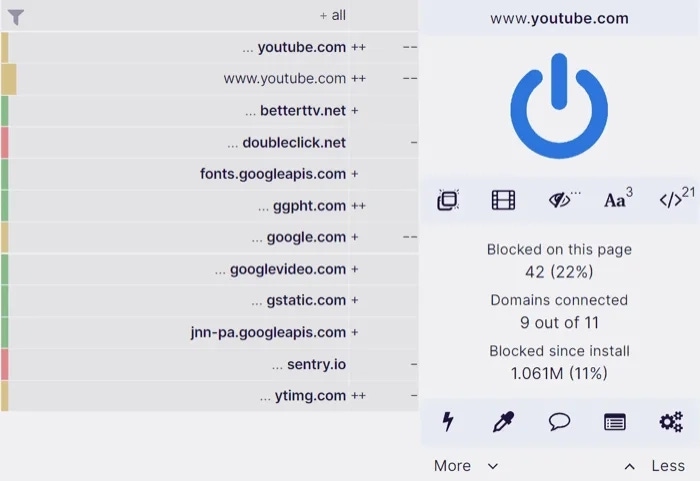
uBlock Origin is a free open-source project that works fast and barely loads the system. It has no commercial "acceptable ads" programs; it honestly blocks network requests and hides empty ad blocks on the page.

AdBlock and Adblock Plus (ABP) are the most well-known extensions from different development teams. Their main drawback is that by default, they pass ads from companies that paid to be whitelisted, such as Google or Amazon. This option can be disabled in settings, but the approach itself is far from pleasing everyone.

AdGuard is a tool with a huge filter base for different languages and regions. It handles trackers well, protects against phishing, and has a convenient manual blocking feature where you can click on any site element to make it disappear.

Here's how it works: extensions embed themselves into the browser (Chrome, Firefox, Edge) and gain access to traffic analysis. They read the page structure on the fly and apply thousands of rules from filter lists to it, which are constantly updated.
System and DNS Ad Blockers
If browser extensions only clean web pages within one application, system and DNS blockers work at a deeper level, covering all device traffic or even the entire home network.
System programs are applications like desktop versions of AdGuard for Windows or macOS that are installed on the device and work as a local proxy server. They filter traffic from absolutely all programs: browsers, email clients, messengers, and games. The advantage of this method is that the system blocker can check even encrypted HTTPS traffic by substituting certificates. This allows cutting out banners and applying cosmetic filtering even outside the browser.
Public DNS servers are services like Next DNS or AdGuard DNS, for which you simply need to enter their addresses in smartphone settings or home router settings. Every time any device on the network tries to contact an ad domain, it gets a connection refusal at the network level, and the banner simply doesn't load.

Hardware solutions (e.g., Pi-hole) are a DNS blocking option for enthusiasts. The system is installed on an inexpensive single-board computer (like Raspberry Pi) and connects directly to the router. Pi-hole takes on the role of a local filter that centrally cuts off ads, trackers, and telemetry for every gadget in the house — from smartphones to smart TVs and refrigerators.

Pros and cons of DNS filtering. The main advantage lies in elementary setup: just change the IP address for protection to work on all devices without installing extra software. The main drawback is the absence of cosmetic filtering, leaving empty squares where blocked ads were. Additionally, DNS blockers are technically unable to cut out ads delivered from the same domains as the content itself (e.g., embedded ad rolls in the official YouTube app).
Ad Blocking on Mobile Devices
Blocking ads on smartphones is a much more difficult task than on PCs. The mobile ecosystem is closed, and most content is consumed not through browsers but through separate apps where extensions cannot be installed.
Private DNS is a built-in function in modern Android versions. If you specify a server address like dns.adguard-dns.com (belonging to AdGuard DNS service) in settings, you will block most banner ads in apps and games without installing third-party software.
Local VPNs are full-fledged system blockers. Good examples are AdGuard for Android (not available on Google Play due to platform rules) or the open-source project Blokada. They create a local VPN connection on the smartphone and filter all traffic directly on the device, allowing blocking of requests to ad networks from any installed programs.
On Apple devices, background processes are strictly limited, and traffic interception is prohibited, so different methods are used here.
Content Blockers for Safari is the only officially Apple-supported way to remove ads. You download an app (e.g., AdGuard, 1Blocker, or Wipr) that simply passes a list of rules to the browser. Safari applies these rules itself: this only works inside the browser and is safe for data since the blocker doesn't see which sites you visit, but has strict system limits on the number of rules.
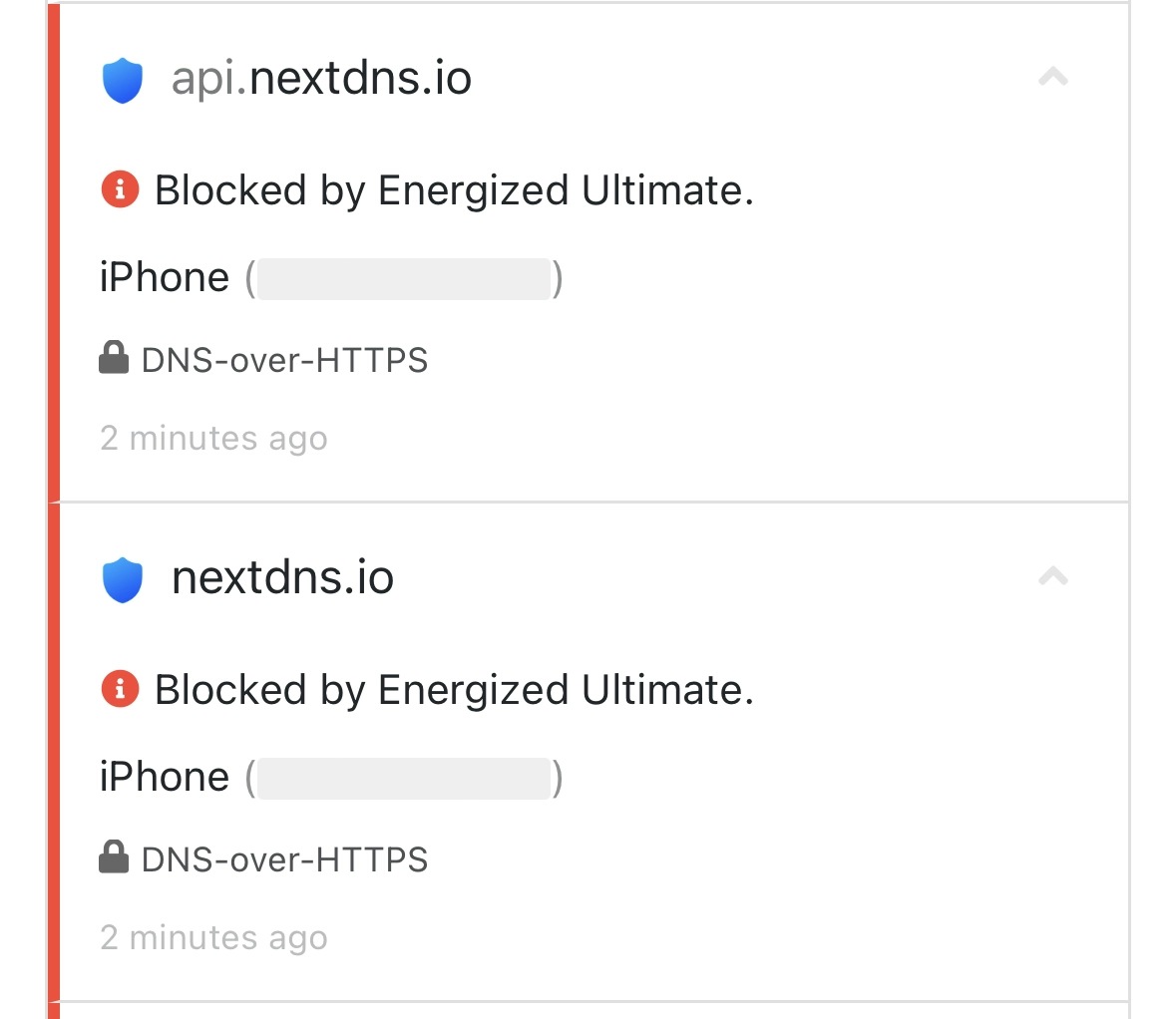
DNS profiles for iOS is an analog of private DNS on Android. On iPhone or iPad, you can install a special configuration profile that forces the device to use a filtering server (e.g., NextDNS). This helps partially solve the ad problem inside third-party apps and games.
Why Regular Blockers Aren't Always Effective
Even when using powerful tools, ads sometimes break through protection. This happens because advertising corporations wage a continuous "arms race" with blocker developers.
Server-Side Ad Insertion (SSAI) is a technology where platforms like Twitch or YouTube "glue" the ad roll and main video into a single stream before sending it to your device. To the browser and blocker, this looks like one continuous piece of content, making it practically impossible to separate the ad from the video itself at the network request level.
Anti-Adblock scripts are special algorithms on sites that detect blocker operation. They check whether a test ad pixel is loaded and whether a certain element is hidden on the page. If protection is detected, the site blocks content access with a banner asking to disable AdBlock.
Dynamic code changes (DOM-tree obfuscation) is the constant generation of random names for ad blocks with each new site load. If today the ad block was called <div class="ad-banner-top"> and the blocker added it to its base, tomorrow it will turn into a conditional <div class="x-89fs-k">. Because of this, cosmetic filtering rules become outdated very quickly.
New extension standards (Manifest V3) is a Google initiative to implement a new standard for browser add-ons in Chrome. It seriously limits traffic filtering capabilities on the fly: extensions lose the right to dynamically check and block requests using complex algorithms, noticeably reducing the effectiveness of tools like uBlock Origin.
Risks and Limitations of Popular AdBlock Solutions
Blockers are created for protection, but they have their own weak points and hidden threats to remember.
Data sales and "whitelists." Many free extensions earn money through "acceptable ads" programs, passing banners from companies that paid for inclusion. Worse yet: sometimes rights to popular blockers are bought by dubious developers to secretly collect your browsing history and sell it to third parties.
Performance reduction. Every filtering rule is a line of code that the browser checks in real time. If you enable dozens of lists for social network widgets, cookie notifications, and filters for other countries at once, the extension will start consuming gigabytes of RAM. On weak computers, pages will noticeably slow down during scrolling.
Fake extensions. Even in official catalogs, fakes regularly surface. Attackers steal icons from well-known products, name their knockoffs loud names like uBlock Pro or Adblock Plus Premium, and embed malicious code for stealing passwords or substituting links for phishing.
Site breakage. Overly aggressive filters often cut not only ads but also useful scripts. Because of this, the shopping cart in an online store may break, the authorization form may disappear, or comments may stop loading. The user has to manually disable protection for the site to simply work properly.
Developers of alternative browsers took into account the demand for speed and privacy and began embedding ad blockers directly into the core, meaning protection works right "out of the box."
Such an approach has three main advantages:
High performance. Regular extensions are written in JavaScript and work "on top" of the browser, taking part of the system's resources. Built-in solutions are created in fast languages (e.g., C++ or Rust) and integrated deep into the engine. Therefore, they work many times faster and noticeably save laptop and smartphone battery charge.
Independence from restrictions. Built-in filters aren't afraid of new rules like Manifest V3, which severely cuts the rights of regular extensions. Basic blockers don't depend on third-party APIs and manage network requests directly.
Security. You don't need to search for plugins in add-on stores. This completely eliminates the risk of accidentally downloading a fake or infected extension from scammers.
Noid as a Solution with Built-in Ad Protection
Noid is a secure, fast browser with a built-in ad blocker and anti-tracking protection that solves the privacy problem without the need for manual configuration.
Deep core-level integration. Unlike regular browsers using external filters, Noid relies on algorithms built directly into the network stack. Connections with ad networks and telemetry systems are cut before loading even begins, saving device resources and visually speeding up page opening.
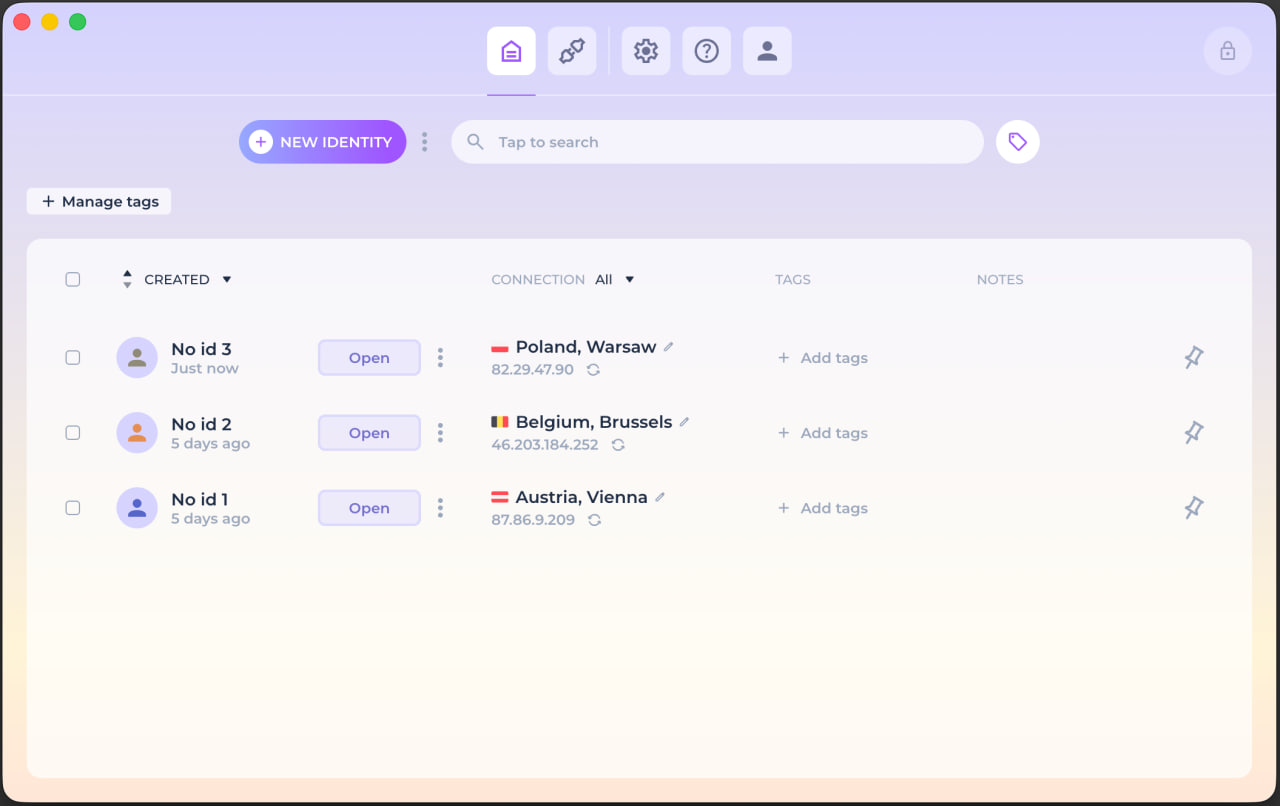
Protection from advanced tracking. The browser not only cuts visual junk but also comprehensively masks the device digital fingerprint. The platform allows creating an unlimited number of isolated digital identities, making advertisers lose the ability to collect a unified user profile and show contextual ads.
Resistance to new standards. Noid is not affected by the Google Chrome extension ecosystem and restrictions like Manifest V3. Built-in protection continues to work regardless of what limits tech giants impose on third-party plugins.
"Out of the box" operation and encryption. The internet is cleaned of ads immediately after browser launch, saving the user from having to figure out filter lists. Additionally, the program provides 14,000 built-in proxy servers for bypassing restrictions, encrypts local data, and can be launched from protected storage devices without leaving traces in the system.
Conclusion
The fight against digital advertising is a continuous technological race. While ad networks invent new ways to bypass filters, traditional tools like browser extensions gradually lose their effectiveness due to system load and new restrictions from browser developers.
Under these conditions, the most reliable approach is using solutions with deep system integration. Browsers with built-in protection, such as Noid, prevent the very possibility of tracking and downloading ad code. Switching to such tools allows saving device resources, securing your data from leaks, and getting a clean, fast internet without having to figure out complex manual settings.
FAQ
— Does incognito mode in the browser block ads?
— No, this is a common myth. Incognito mode merely doesn't save browsing history and cookie files on your device after closing the tab. Sites still see your IP address, load third-party scripts, and show all ad banners. Real protection requires specialized tools or browsers with built-in filtering.
— Is it legal to use ad blockers?
— Yes, using programs to filter traffic on your personal device is absolutely legal in any country in the world. You have the full right to control which data is downloaded to your computer or smartphone. Site owners, in turn, have the same right to restrict access to their content for those who use blockers.
— Do ad blockers protect against viruses?
— They don't replace antivirus software but substantially reduce infection risk. Malicious advertising is widespread on the internet, where hackers buy spots in legitimate banner networks and embed scripts that secretly load trojans onto devices. By cutting off ads, you block this channel of threat and phishing link distribution.
— Can I remove ads in the official YouTube app on Smart TV?
— Doing this through router settings or DNS substitution is practically impossible because ad inserts and the video itself are delivered to the TV from the same servers using SSAI technology. The problem can be solved either by installing third-party unofficial YouTube clients if the TV runs on Android TV, or by purchasing a paid subscription.
— Does ad blocking really save internet traffic and battery charge?
— Yes, and quite noticeably. On some information portals, heavy video banners and dozens of invisible trackers can make up to 50% of the total page load volume. By prohibiting their download, you conserve limited mobile internet and reduce processor load, directly extending your smartphone or laptop's battery life.